
Understand First. Output Second.
Before Remodlr produces an estimate, supplement, report, order, or plan, it reconciles the project behind it. Facts keep their sources. Conflicts stay visible. Missing information stays missing.
Bring a real project and see what Remodlr understands before it produces anything.
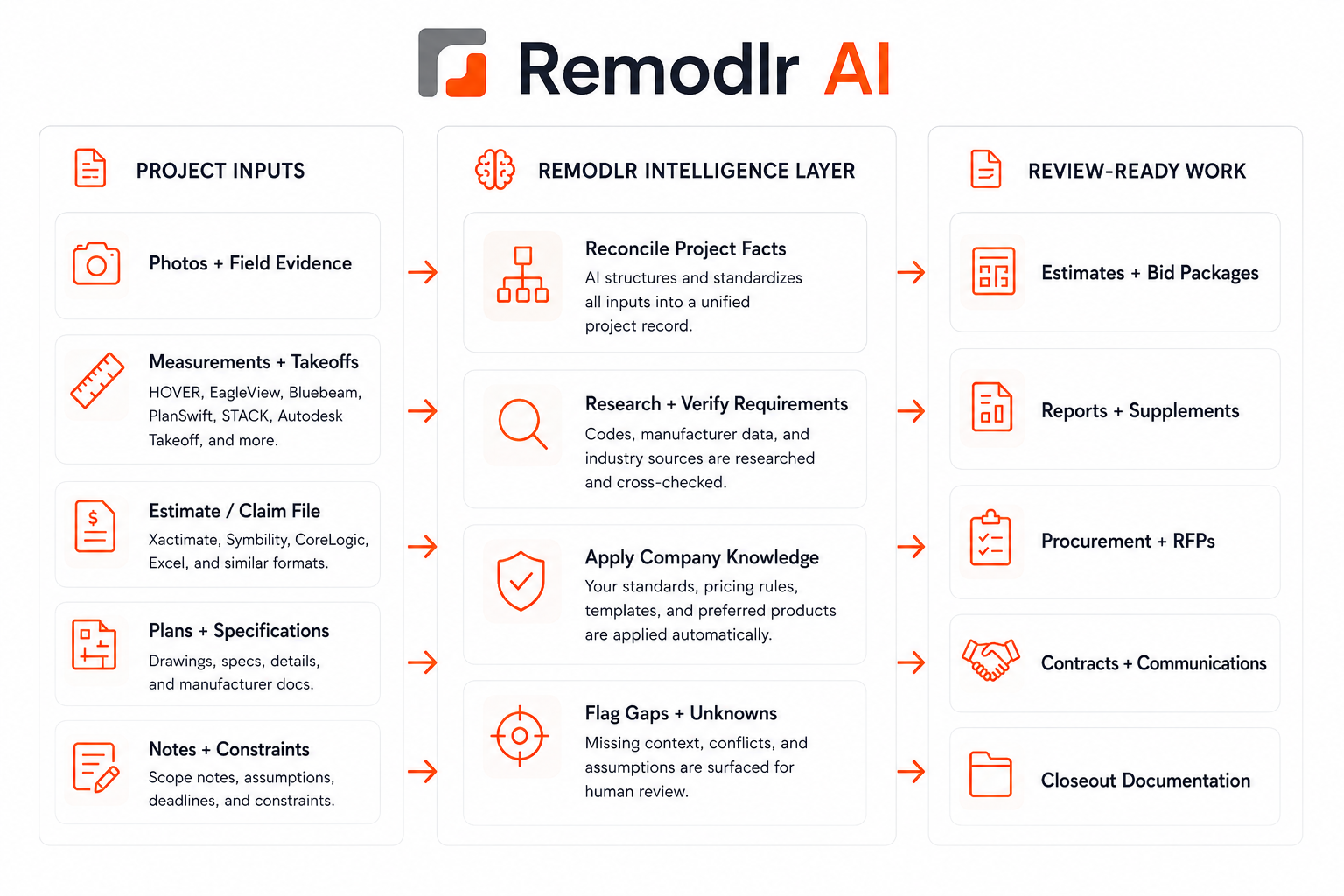
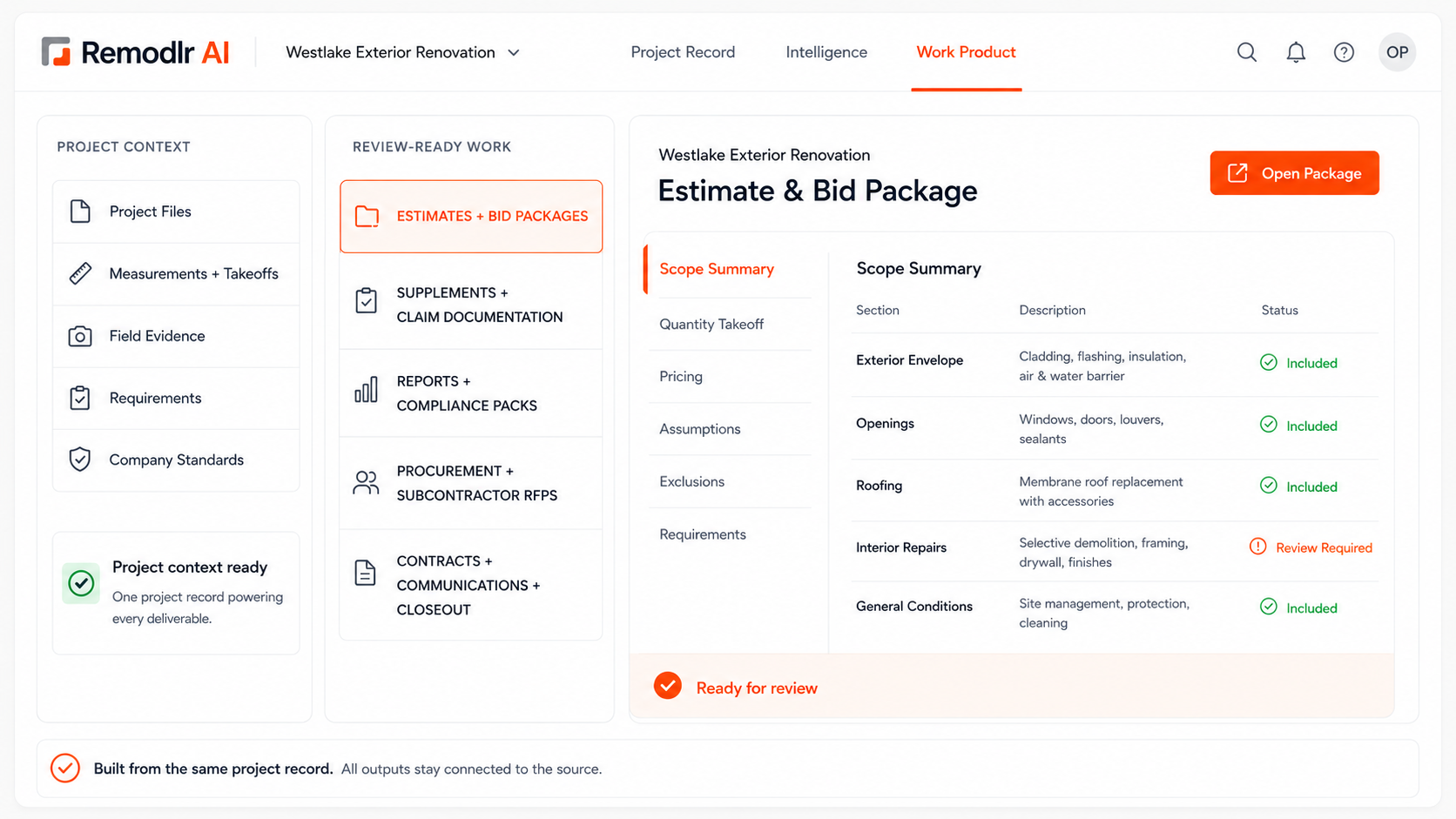
One Project. One Shared Understanding. Every Workflow.
Here is what happens between the files you add and the work you get back. Every output stays with the project, so the next workflow starts where the last one left off.
Project Evidence
Add what surrounds the job: plans, photos, measurements, estimates, policies, contracts, reports, and correspondence.
Project Intelligence
Remodlr keeps your originals, reads every file, pulls images out of reports, and builds the project’s Fact Sheet: facts with sources, conflicts, and gaps.
Your Role
Pick the professional perspective you’re working from, such as Contractor / Trades, Project Manager, Investor / Developer, Inspector / Building Consultant, Restoration Contractor, or Public Adjuster. The perspective changes terminology and priorities, not the facts.
Discover → Plan → Execute
Choose what needs to get done. Remodlr asks only what the project can’t answer, shows you the plan, and does the work once you approve it.
Every File Read. Every Image Found.
Remodlr keeps your originals, analyzes each document, and pulls out the photos and diagrams buried inside reports so they can be used as evidence.
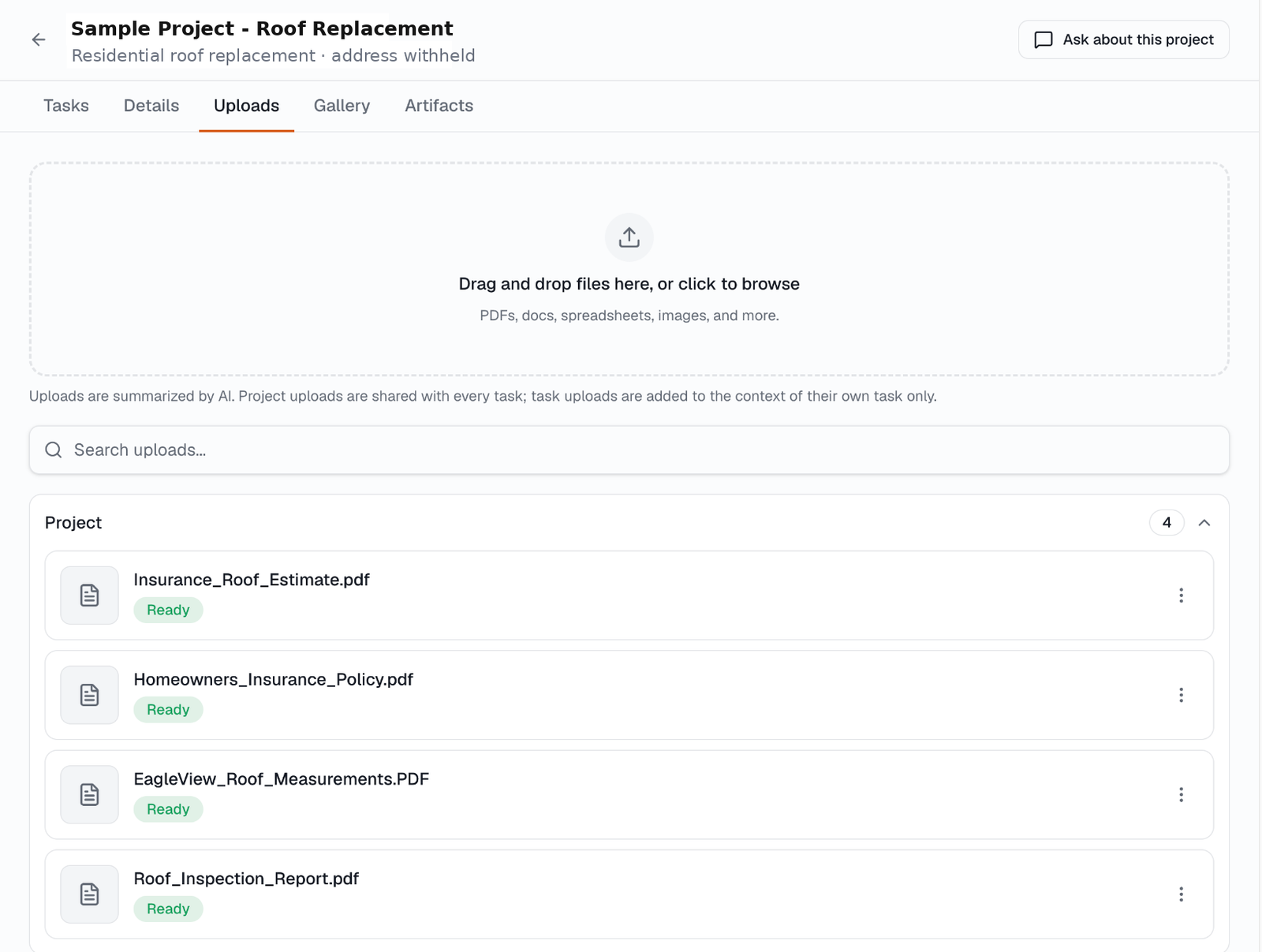
Plans, photos, reports, and estimates stay as the original files.
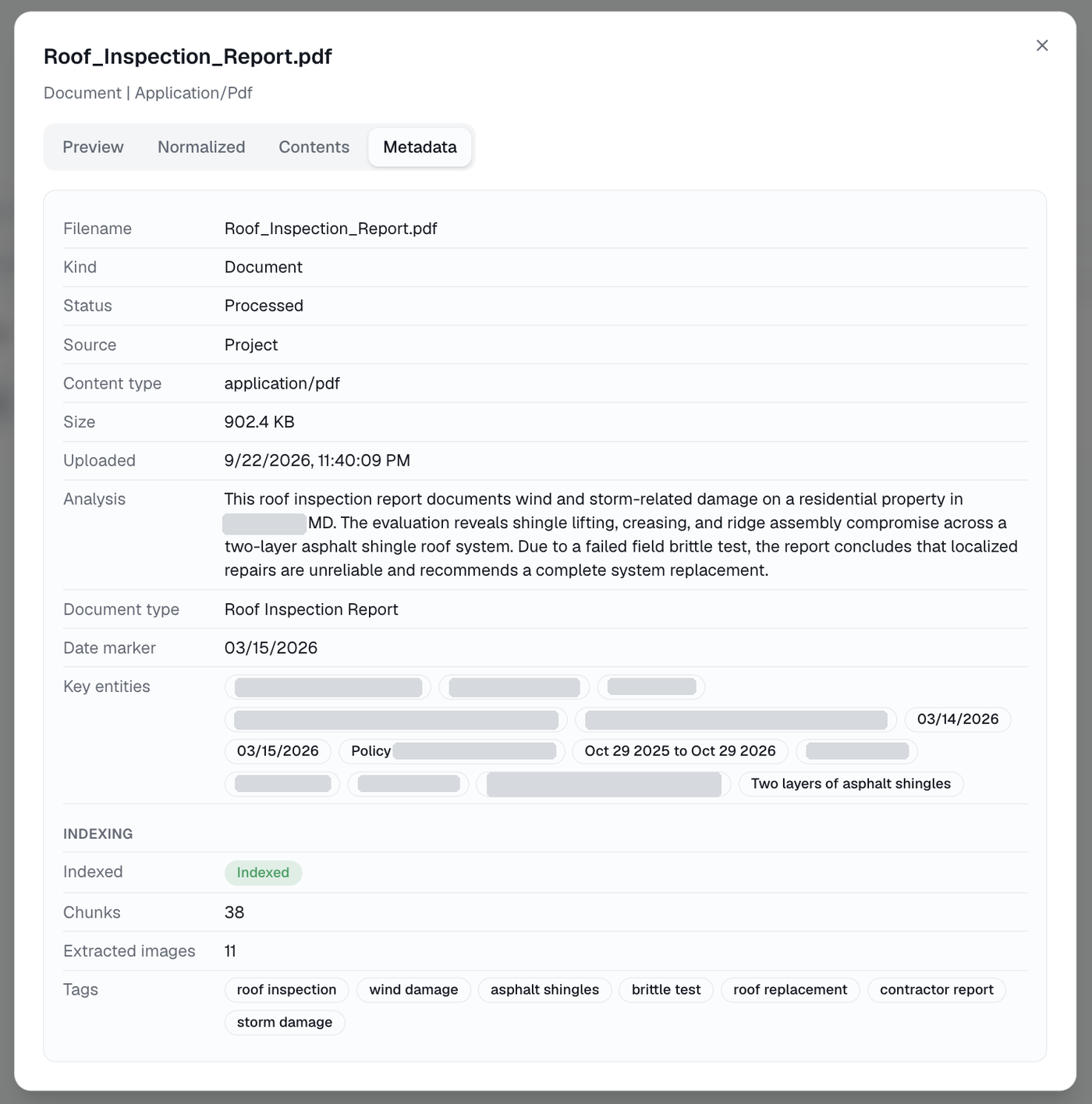
Each file is summarized, tagged, indexed, and checked for key entities.
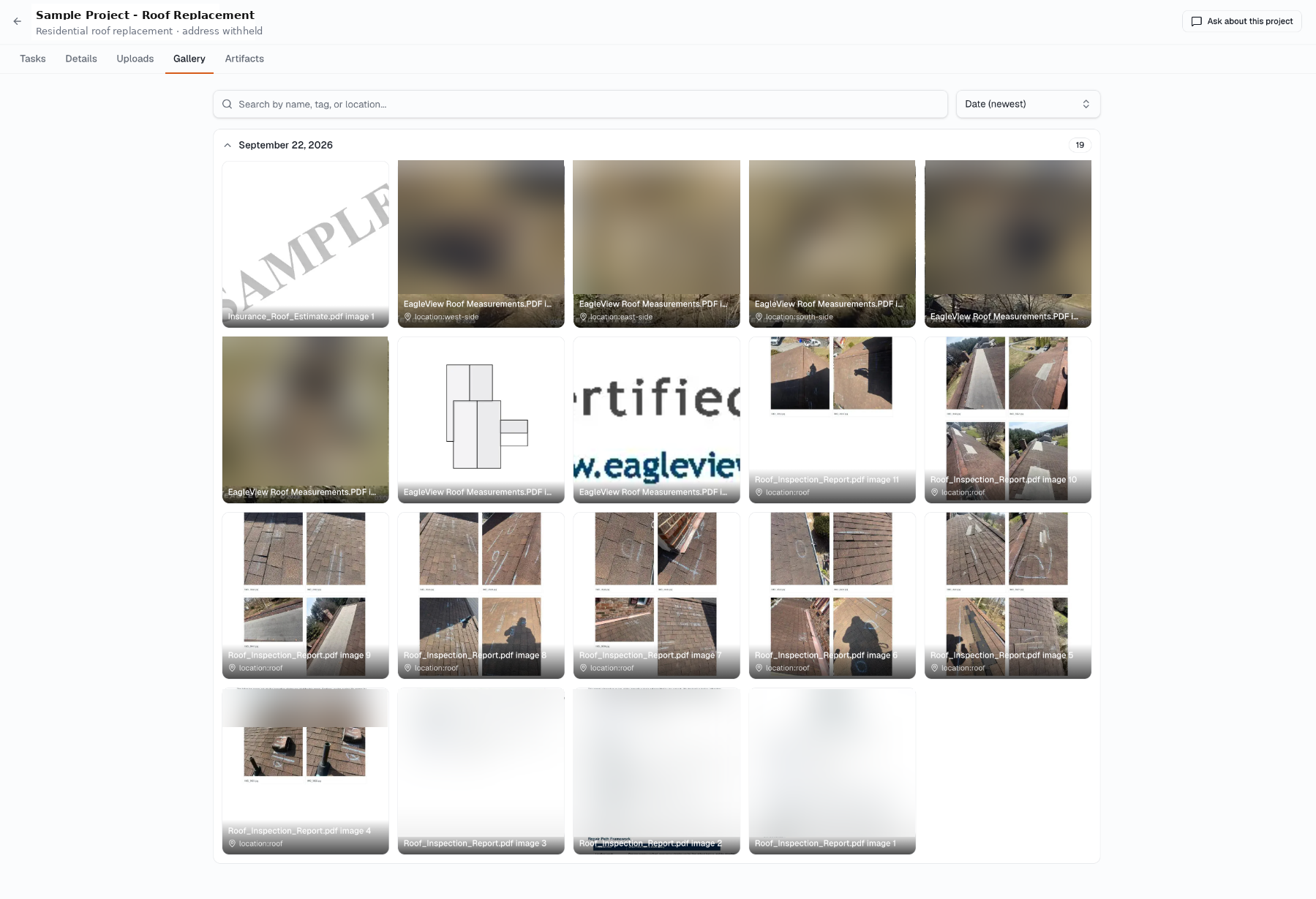
Images inside PDFs become searchable, tagged project evidence.
Real screens from a live restoration project. Identifying details withheld.
Stop Starting Over.
Every project has a living Fact Sheet. New work starts from what the project already knows instead of rebuilding context from the original files. Remodlr doesn’t hide uncertainty to make an answer look complete: each fact keeps its source and one of eight truth states.
Choose the Role. Choose the Outcome. Approve the Plan.
Tell Remodlr who you are working as and what needs to get done. It asks only what the project can’t answer, then shows you the plan before it produces anything.
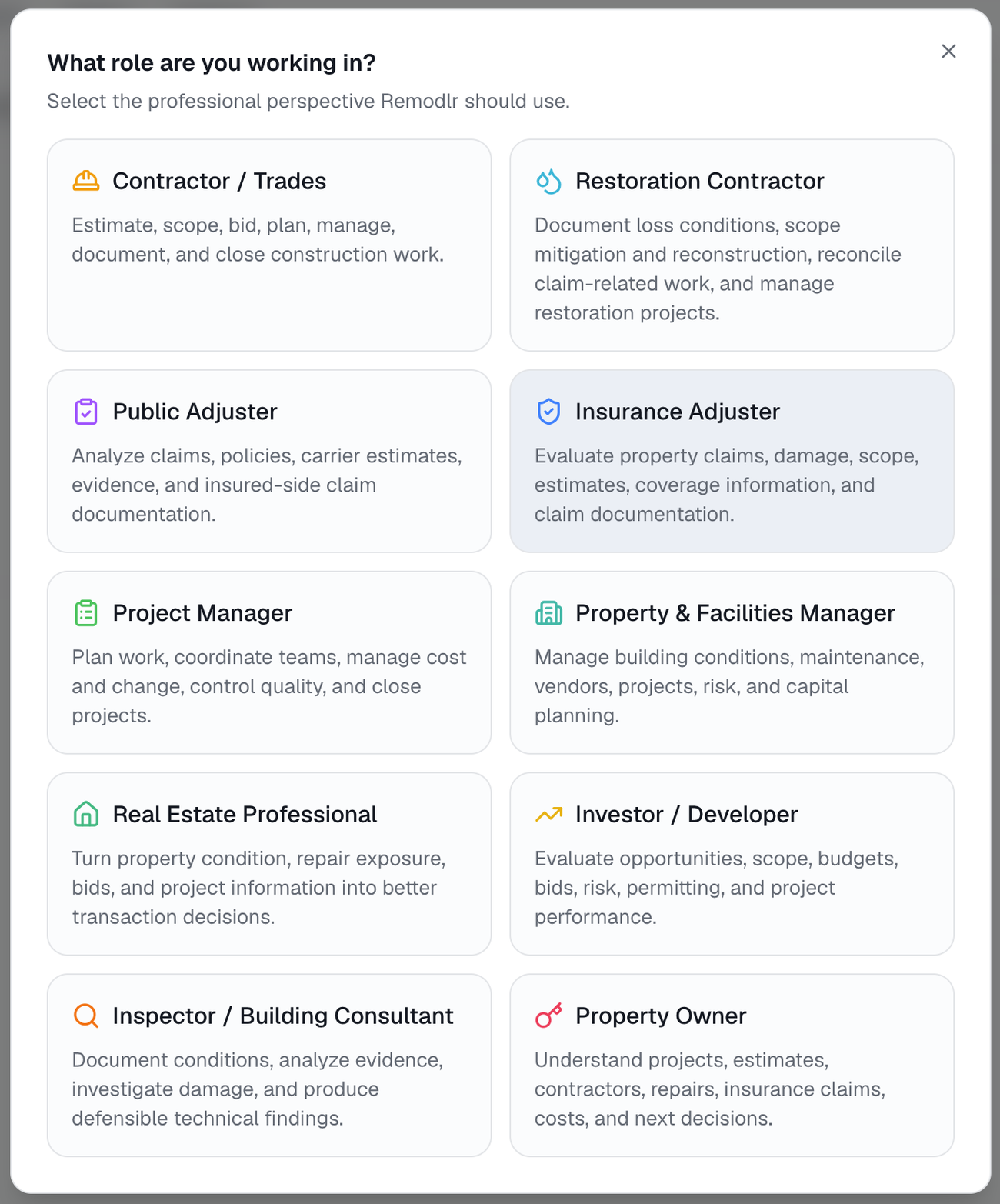
Pick the professional perspective you’re working from.
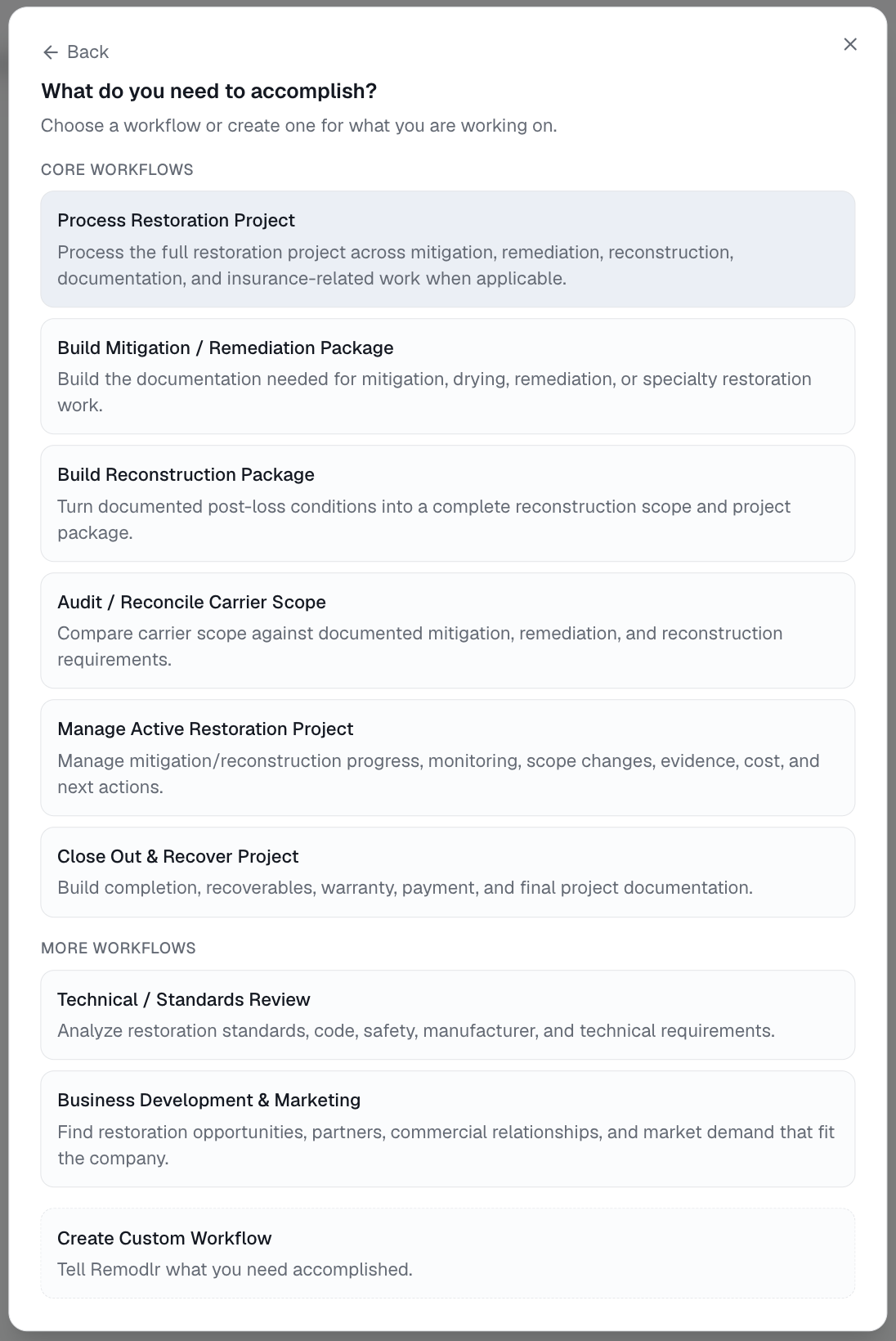
Choose the outcome, such as a reconstruction package.
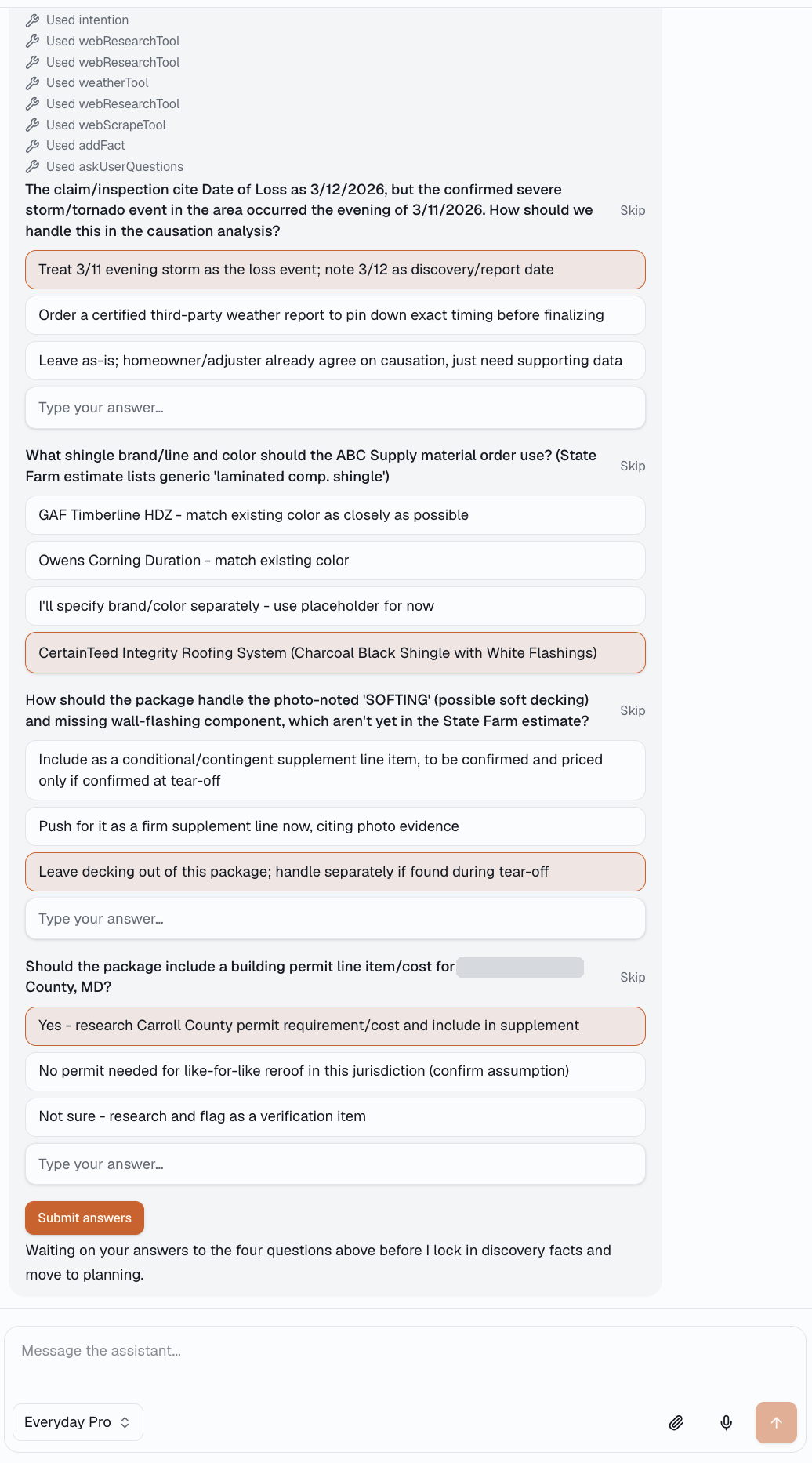
Answer targeted questions about the gaps and conflicts it found.
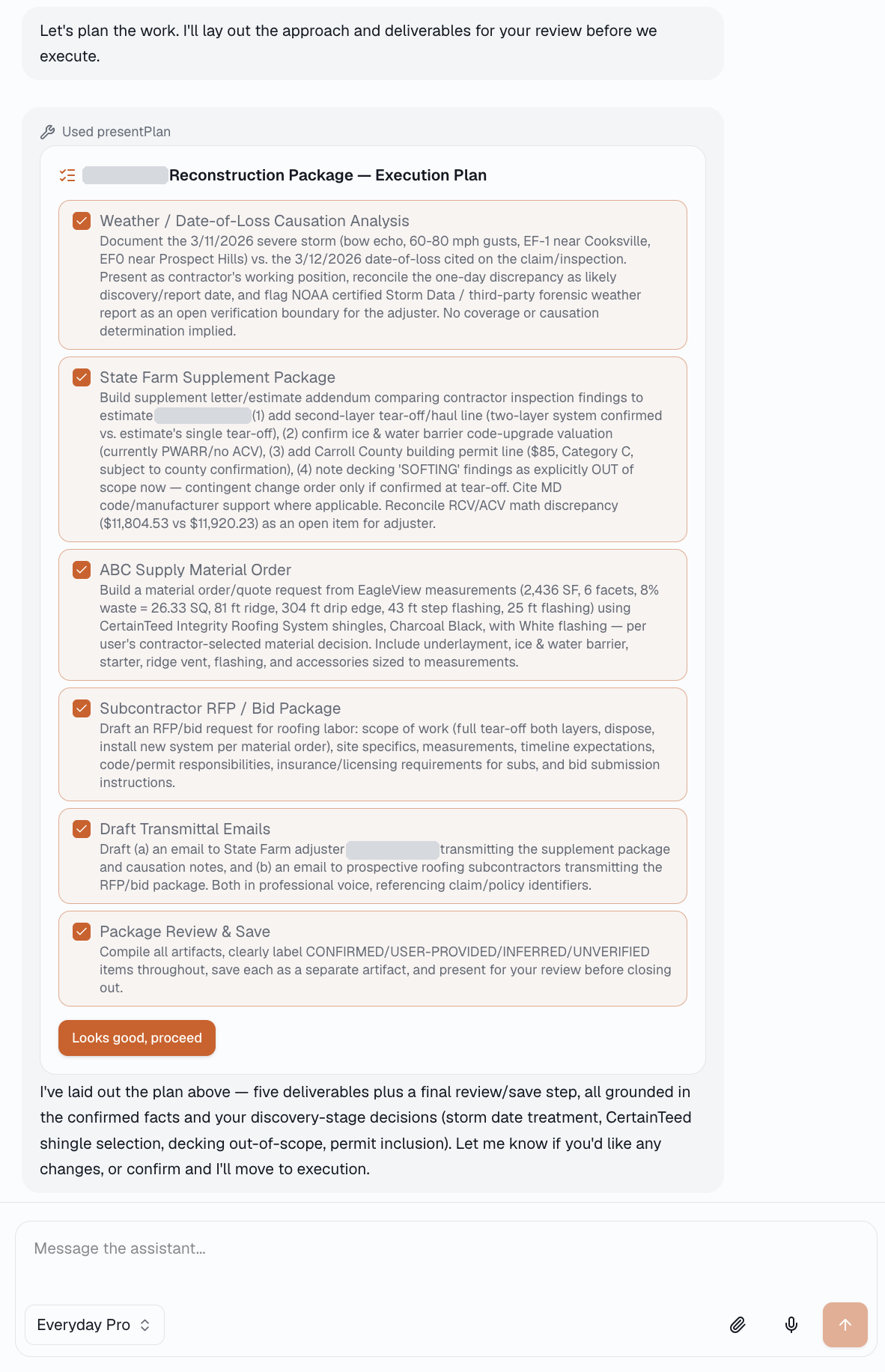
Review every deliverable, then approve before execution starts.
Real screens from a live restoration project. Identifying details withheld.
Change It Once. Keep the Project Aligned.
The Scope Ledger keeps scope, quantities, evidence, assumptions, exclusions, decisions, and revisions connected to the work that follows.
Your Standards Travel With the Project.
Add your services, pricing rules, SOPs, templates, and brand standards to the Knowledge Base once, so you aren’t re-explaining them for every workflow. Project evidence still outranks company preference.
Ask the Project Instead of Searching Through It.
Ask what changed, what’s unresolved, what the inspection said, or what the next person on the job needs to know. Answers come from the project’s files, Fact Sheet, decisions, and generated work. Share projects with teammates and invited outside collaborators.
Book a Live Demo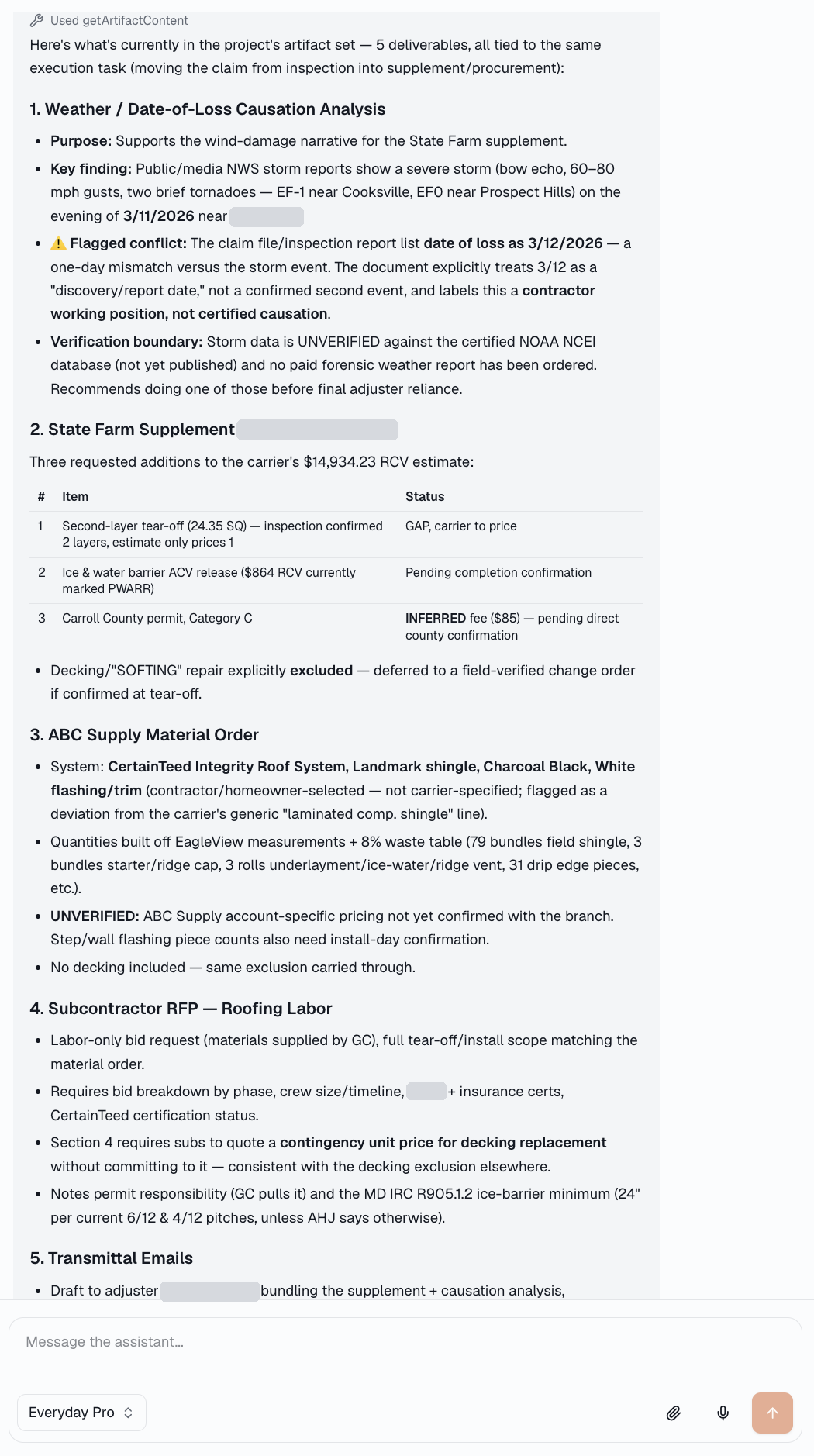
Answers drawn from the project’s own files, facts, and decisions.